
Top AI Plugins for WordPress: A WordPress Geek’s Balanced Field Guide
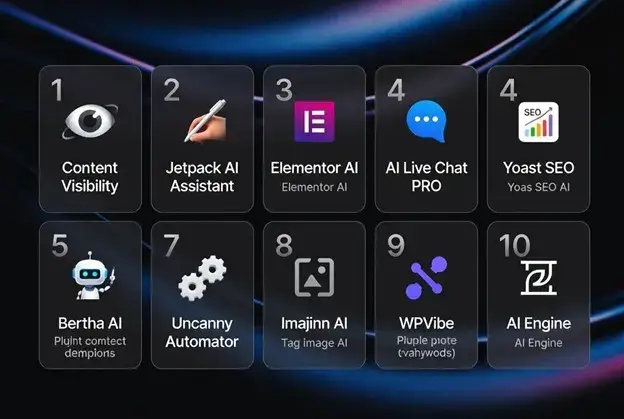
AI plugins for WordPress are no longer just shiny toys for generating blog posts. The better ones now solve real workflow problems: making content clearer, answering visitor questions, speeding up editing, improving metadata, building layouts, producing images, automating tasks, and preparing websites for the way modern search and answer engines read the web.
That said, the category is messy. Some “AI plugins” are useful production tools. Some are API wrappers with a nice button. Some are genuinely clever but only make sense for developers. And some are best avoided unless you enjoy paying for tokens while debugging vague prompts.
Selection criteria: I looked for plugins that do at least one of five useful things: improve content production, improve AI visibility, help visitors get answers, automate WordPress workflows, or help site owners manage media and metadata. I also considered how deeply each tool fits into WordPress, whether it creates lock-in, how much setup is required, and whether it solves a real problem beyond simply adding AI branding.
As a WordPress geek, I would not install ten AI plugins on one site. That is how you create bloat, conflicts, and mystery invoices. The right approach is to understand what each plugin is good at, then choose the one or two that actually fit your site. Here are ten AI plugins and AI-focused WordPress tools worth knowing.
1. Content Visibility
Content Visibility deserves attention because it is not trying to be another AI writing button. It focuses on a newer problem: whether your WordPress site is clear enough for modern search engines, AI assistants and answer engines to understand.
This matters because visibility is no longer only about keywords, backlinks and schema. AI systems look for clarity, context, repeated evidence and structured explanations. If your site does not clearly explain who you are, what you do, which services you offer, what products you sell and why you are credible, you are making discovery harder than it needs to be.
Content Visibility scans public WordPress content and surfaces practical findings around content clarity, weak visibility signals, thin explanations, media signals and site structure. It can also generate AI-readable discovery material such as a virtual /llms.txt file, per-page Markdown summaries, and a summary index from public content.
Many people know Sitetrail MSCP as their tool to pitch Forbes and CNBC, but now they’ll be pitching AI with the plugin. That is the interesting shift: from pitching journalists only, to also making the website itself easier for AI systems to interpret.
The balanced view is simple. This plugin will not magically force ChatGPT, Gemini, Claude, Copilot or Perplexity to cite your site. No honest plugin can promise that. But as a free WordPress.org tool for AI-readiness, generative engine optimization and answer-engine visibility, it tackles a real gap that ordinary SEO plugins do not fully cover.
2. Jetpack AI Assistant
Jetpack AI Assistant is one of the easiest AI tools to understand because it lives close to the normal WordPress editing workflow. If you already use Jetpack or work inside the block editor every day, it can help draft paragraphs, rewrite sections, summarise text, adjust tone and get a blank page moving.
Its biggest strength is convenience. You do not need to bounce between WordPress and a separate AI tab every time you want to improve a paragraph. For bloggers, small business owners and content teams, that matters.
I would use Jetpack AI Assistant for first drafts, outlines, summaries, intros, and quick rewrites. I would not rely on it to create deep expert content without human review. Like most writing assistants, it is best when you already know what you want to say and need help saying it faster.
The downside is that Jetpack can feel like a large ecosystem when you only want one AI feature. Developers who prefer lean, single-purpose plugins may avoid it. But for mainstream WordPress users, it remains one of the most accessible AI writing options.
3. Elementor AI
Elementor AI makes sense for people who already build websites visually. Its value is not just text generation. It helps inside the design process, where you may need headline ideas, section copy, layout support, image concepts or small bits of code.
This is useful because a lot of WordPress work now happens in page builders rather than in the classic post editor. A freelancer building a landing page for a client can use Elementor AI to create draft hero copy, service descriptions, calls to action, or custom CSS suggestions without leaving the builder.
The best use case is speed. It helps you get from an empty section to a workable draft. It is not a replacement for brand thinking, conversion strategy, or design taste, but it removes some of the friction from page creation.
The obvious limitation is that it only makes sense if you are already in the Elementor world. If you use Gutenberg, Bricks, Oxygen, Kadence or a custom theme workflow, this is probably not your first stop. For Elementor-heavy agencies, though, it can be a practical time-saver.
4. AI Live Chat PRO
AI Live Chat PRO is aimed at a different job: turning a WordPress site into a more useful front-line assistant for visitors. Instead of writing blog posts, it focuses on AI live chat, customer questions, lead generation and website knowledge.
This type of plugin is most useful on commercial websites. Think service businesses, agencies, WooCommerce stores, product pages, pricing pages, support pages and PPC landing pages. A visitor who gets an instant, accurate answer may be more likely to enquire, buy or stay on the site.
The important word is accurate. AI chat on a website can be brilliant when it is trained on the right knowledge and tested carefully. It can also be damaging when it invents answers, misstates prices or gives users false confidence. Any serious AI chat setup needs guardrails, clear escalation paths and regular review.
The self-hosted WordPress angle is one of the more interesting parts. Many businesses want AI chat, but they do not necessarily want all customer interaction managed through a disconnected third-party platform. A WordPress-native approach can appeal to agencies and site owners who want more control.
This is not a must-have plugin for a hobby blog. But for a business website where visitors ask repeat questions before converting, AI Live Chat PRO is a serious category fit.
5. Yoast SEO AI
Yoast SEO AI is useful because it applies AI to one of the least glamorous but most repetitive parts of publishing: SEO titles and meta descriptions. Anyone who has managed a large WordPress site knows how boring that work becomes after page fifty.
The advantage is workflow. Yoast is already familiar to millions of WordPress users, so its AI features sit inside an environment people understand. That lowers the learning curve. Instead of asking an external AI tool for ten meta description ideas, you can generate and refine them closer to the page itself.
This is not a complete AI content strategy system. It will not understand your market better than you do, and it should not replace editorial judgment. But it can speed up metadata creation, especially for blogs, service pages, and ecommerce collections.
The right way to use it is as an assistant, not an oracle. Let it suggest, then edit. Search snippets still need human judgment, because the best title is not always the one that sounds the most keyword-stuffed.
6. Bertha AI
Bertha AI has been around long enough to feel like one of the more established AI writing assistants in the WordPress space. It is designed to help with website copy, blog posts, product descriptions, and marketing text from inside WordPress.
The nice thing about Bertha is that it understands the practical writing needs of site owners. Not everyone wants to generate a 3,000-word article. Sometimes you need a sharper headline, a better product description, an FAQ answer, a call to action, or a quick rewrite of a clumsy paragraph.
It is particularly useful for small business owners and agencies who build sites for clients. When the client gives you weak copy, AI can help turn rough notes into usable page sections. That alone can save hours.
The caution is sameness. AI-written marketing copy can quickly become smooth but generic. Bertha is best used to get past the blank page, not to remove the human voice. The final edit still matters.
7. Uncanny Automator
Uncanny Automator is not only an AI plugin, but its AI integrations make it especially relevant for WordPress users. It is primarily a workflow automation tool that lets you connect events, triggers, and actions across different plugins. As one of the best WordPress automation plugins, it uses AI integrations to create smarter, more efficient workflows that save time and automate repetitive tasks.
For example, you might generate a summary when a form is submitted, classify a lead, create internal notes, trigger an email draft, tag a user, or pass information between plugins. That is where AI becomes operational rather than decorative.
This is especially useful for membership sites, LMS platforms, WooCommerce stores, and complex marketing funnels. Instead of using AI only to write copy, you can use it to reduce manual admin work.
The downside is that automation always needs careful testing. A bad workflow can create confusion very quickly. If AI is part of the workflow, you need even more caution because the output may vary. Still, for advanced WordPress users, Uncanny Automator is one of the more practical ways to bring AI into real business processes.
8. Imajinn AI
Imajinn AI focuses on image generation inside WordPress. That makes it useful for bloggers, publishers, and marketers who need visual ideas without leaving the dashboard.
The use case is straightforward. You need a featured image, concept art, illustration, or visual direction for a post. Instead of searching stock libraries for something “close enough,” you can generate something more tailored.
This can be genuinely helpful, especially for abstract topics where stock images are terrible. AI-generated visuals can also help during drafts and mockups, even if the final image is later replaced by a designer.
The obvious caution is quality and brand consistency. AI images can look impressive at first glance but strange on closer inspection. Hands, text, logos, faces, and realism can still be problematic. I would use Imajinn AI for concepts, editorial visuals and creative exploration, but I would be careful with brand-sensitive or legally sensitive imagery.
9. WPVibe
WPVibe is interesting because it points toward where WordPress and AI may be heading. Instead of only generating text or images, it connects WordPress to AI assistants through the Model Context Protocol.
That sounds technical, and it is. But the idea is important. AI tools are moving from “write this paragraph” toward “help me operate this system.” In a WordPress context, that could mean helping with content management, site changes, metadata, media, publishing workflows, and structured tasks.
For developers and technical agencies, this is exciting. It suggests a future where AI assistants can work with WordPress more directly, not just produce copy that a human pastes into a box.
The caution is permissions. Giving AI operational access to a website is very different from asking it for a headline idea. Authentication, staging environments, backups, audit trails, and human approval matter. I would treat this as an advanced tool, not something for a casual beginner to connect to a production site without understanding the risks.
10. AI Engine
AI Engine belongs at the end of this list not because it is weak, but because it is more of a flexible framework than a single-purpose beginner tool. It can help with chatbots, content generation, AI forms, assistants, and deeper AI integrations inside WordPress.
For developers, tinkerers and agencies, that flexibility is the attraction. You can build more customized AI experiences instead of accepting one fixed workflow. If you know how to work with API keys, models, prompts and settings, AI Engine gives you room to experiment.
The trade-off is that flexibility brings complexity. A less technical user may prefer a plugin that does one job with fewer decisions. AI Engine asks you to understand what you are building.
Used well, it is one of the most powerful AI plugins in the WordPress ecosystem. Used casually, it can become another confusing dashboard. I would recommend it most for people who want control and are willing to test properly.
Final Thoughts
The best WordPress AI plugin depends on the problem you are solving.
Note that I left out generic AI SaaS tools that do not have a meaningful WordPress workflow, and I avoided listing ten near-identical content generators. The point is not to collect every AI-branded plugin, but to show different categories of AI usefulness inside WordPress.
If you want AI-readiness and clearer site signals, start with Content Visibility. If you want writing help, Jetpack AI Assistant, Bertha AI, or Yoast SEO AI may fit. If you build visually, Elementor AI makes sense. If you need customer interaction, AI Live Chat PRO is more relevant than another content generator. If you want workflow automation, look at Uncanny Automator. If you want images, Imajinn AI is worth testing. If you are thinking about AI agents and deeper site operations, WPVibe and AI Engine are the more technical options.
My rule is simple: install AI where it removes friction. Do not install it because the word AI is fashionable. The winners in WordPress will be the tools that make sites clearer, faster, more useful, and easier to manage.
Word of caution: Do not install multiple AI plugins that all inject scripts, create database tables, call external APIs, and add admin dashboards unless you have a clear reason. Test on staging, check performance, and know where your data goes.