
How AI Is Changing the Way People Edit Videos
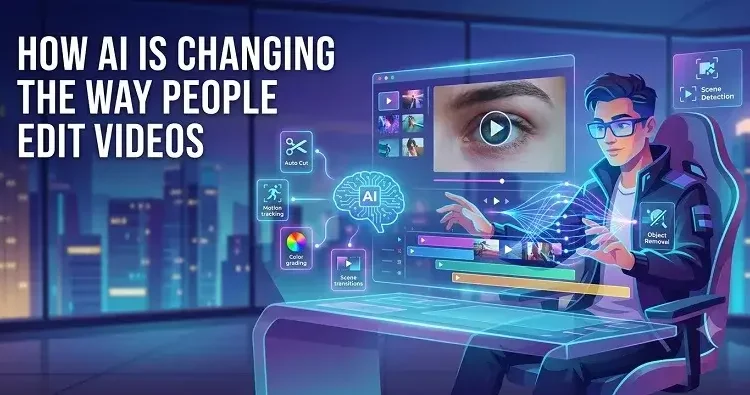
Video editing traditionally needed a mix of technical know-how, creative judgment, and a genuinely serious time investment. Even a short social media clip can involve going through multiple takes, picking out the strongest moments, arranging scenes, adding captions, adjusting audio, and getting the format right before publishing. AI’s changing this now by letting creators describe what they want in plain language and use AI-assisted workflows to build out an initial video structure.
What Is AI-Assisted Video Editing?
AI-powered video editing tools assist with tasks that would otherwise need to be edited from zero by hand. Rather than starting with a blank timeline and placing each clip in place individually, a creator can simply hand over footage and describe the result they’re after.
You can instruct a video to begin by providing an introduction, use shorter clips to speed things up, include captions, and end on a specific scene. That’s something an AI-assisted workflow can read and help you to automatically organize the available footage into a preliminary structure.
That doesn’t mean AI automatically understands every single creative decision, of course. It’s really just a starting point — something the creator then reviews and adjusts from there.
How Natural-Language Instructions Fit Into Editing
One of the more significant developments in AI video creation is conversational instruction itself. Traditional editing software usually requires knowing where specific functions live and how different controls actually work together.
A natural-language interface changes that whole interaction. Users just describe what they want in plain terms — a shorter intro, rearranged scenes, prioritizing particular sections of footage.
A workflow tied to a ChatGPT video editor online approach can take this kind of instruction and help organize footage into an editable first cut. The important part here is that the resulting draft stays something the creator can inspect and change — not some unquestionable final product handed down as-is.
From Raw Footage to an Editable First Cut
Reviewing footage is often one of the most time-consuming stages of the whole process. A creator might have dozens of clips from a single event, trip, interview, or project — and finding the useful moments manually can take longer than the actual editing that follows.
AI-assisted workflows can cut down this initial workload by examining the source material and identifying sections that fit the requested structure. That selected material then gets organized into a rough sequence to work from.
An editable first cut’s genuinely useful because it gives you a visual foundation to react to. Instead of starting from nothing, the editor can look at the suggested arrangement and decide what stays, what gets cut, and what needs changing.
Captions and Accessibility
Captions have become a real part of modern video production. A lot of people watch videos without sound entirely, and captions also help accessibility for viewers who have trouble hearing spoken content.
Artificial intelligence can help to generate caption text as well as prepare different language versions. But automatic captions still need to be reviewed. There may be errors in names, technical terms, accents, background conversations, or unclear audio.
That’s why human checking still matters here. Editors should double-check spelling, timing, readability, and placement before anything goes live.
Adapting Videos for Different Formats
The same piece of footage often needs to look different depending on where it’s going to run. A landscape video built for a longer presentation isn’t automatically going to work as a vertical short-form clip.
AI-assisted editing can help creators think through different versions of the same material. Scene selection, pacing, captions, and framing can all get reconsidered based on the target format.
But changing the dimensions of a video alone doesn’t automatically make a good adaptation. Important topics may need to be rearranged, captions may need to be positioned elsewhere, and some scenes may need to be cut down so that they can actually work.
Why Human Editing Still Matters So Much
Despite how fast AI’s improving, creative judgment stays central to good video production. AI can suggest scenes, organize material, and speed through repetitive tasks — but it doesn’t necessarily understand the bigger purpose of a video the way its actual creator does.
An automatically selected clip might technically match the description while completely missing the emotional context the story actually needs. Same goes for pacing — an AI-generated sequence can have reasonable timing on paper while still feeling off, somehow.
The best approach here’s really collaborative. AI handles pieces of the prep work while the editor makes the calls on storytelling, accuracy, tone, pacing, and visual consistency.
Practical Considerations When Using AI Video Tools
Anyone using AI-assisted editing should think carefully about their source material. Footage needs to be legally available for editing, and it’s worth avoiding uploading sensitive material unnecessarily.
Clear instructions genuinely help too. Vague prompts tend to produce less useful results, while being specific about audience, duration, scene order, style, and format makes the initial draft a lot more relevant right from the start.
Most importantly, all AI-generated or AI-assisted results should be properly reviewed before going live. Before you publish anything, review the selected clips, captions, audio levels, transitions, facts, and export settings.
The Future of AI Video Editing
AI’s unlikely to fully eliminate the need for video editors. Its more realistic role is cutting down repetitive work and making sophisticated editing workflows a lot more approachable for people who don’t have years of editing experience.
As this tech develops further, the line between conversational AI and traditional editing software will probably get even blurrier. Creators might end up spending less time on routine timeline operations and more time actually deciding what their videos should communicate in the first place.
The result isn’t just faster editing. It’s really a shift toward a workflow where people can go from an idea to an editable visual draft with a lot fewer technical barriers in the way — while still keeping control over the creative decisions that actually determine how good the final video turns out.